
Secure your perimeter by registering authorized calling systems.
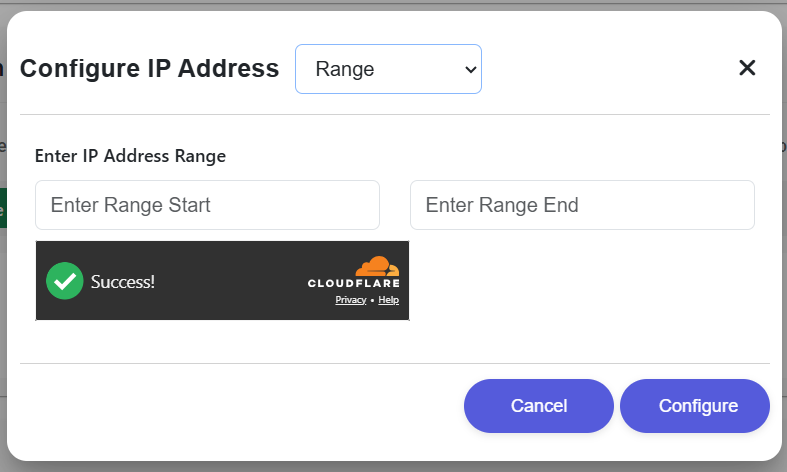
Selecting Range allows the FI to register a start IP and end IP when an outbound block needs to be allowlisted together.
The user enters both Range Start and Range End before submitting the configuration request.
Configure saves the IP range and returns to the network listing, while Cancel exits the modal without saving.
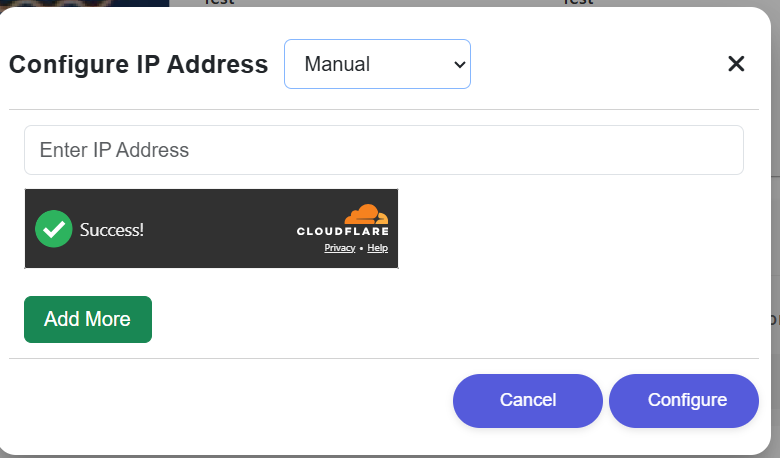
Selecting Manual lets the FI enter a public IP address directly for explicit allowlist registration.
Add More inserts another entry row so multiple outbound IPs can be configured in the same submission flow.
Configure saves the manual IP entry and returns to the IP list, while Cancel closes the pop-up without applying changes.
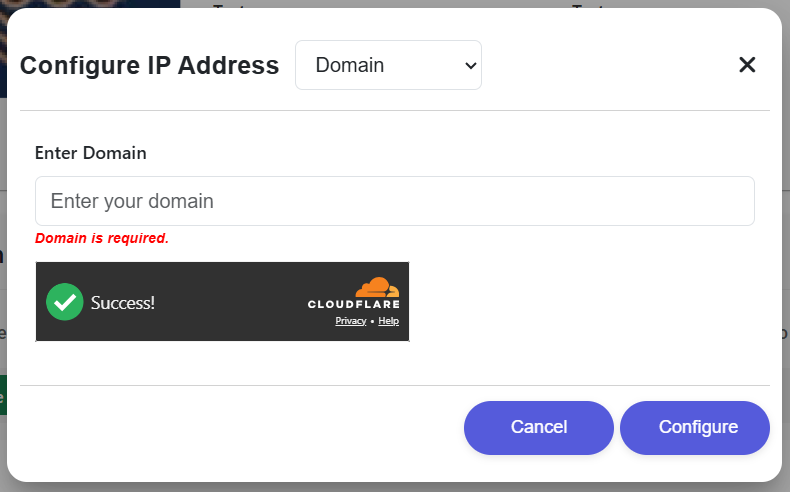
Selecting Domain allows the FI to register a domain-based endpoint instead of manually typing a raw IP address.
If the required domain field is empty, the form shows an inline validation message before submission can continue.
After a successful domain configuration, the next visible state is the updated whitelisting view showing the registered network source.
Enter a range start and end, a single public IP manually, or an approved domain name depending on the selected mode.
Choose whether the network source will be registered using Range, Manual, or Domain mode.
Use Configure to save the network source or Cancel to discard the current entry and return to the previous screen.
Identify all systems (Gateway, API proxy, CBS) that will initiate requests.
Enter the CIDR ranges in the POEMS technical configuration tab.
Perform a health-check call from the registered IP to verify allowlist propagation.