
Lifecycle governance for your cryptographic secrets and authorization tokens.
POEMS supports master keys, access keys and authorization codes. Keys must be rotated periodically based on policy.
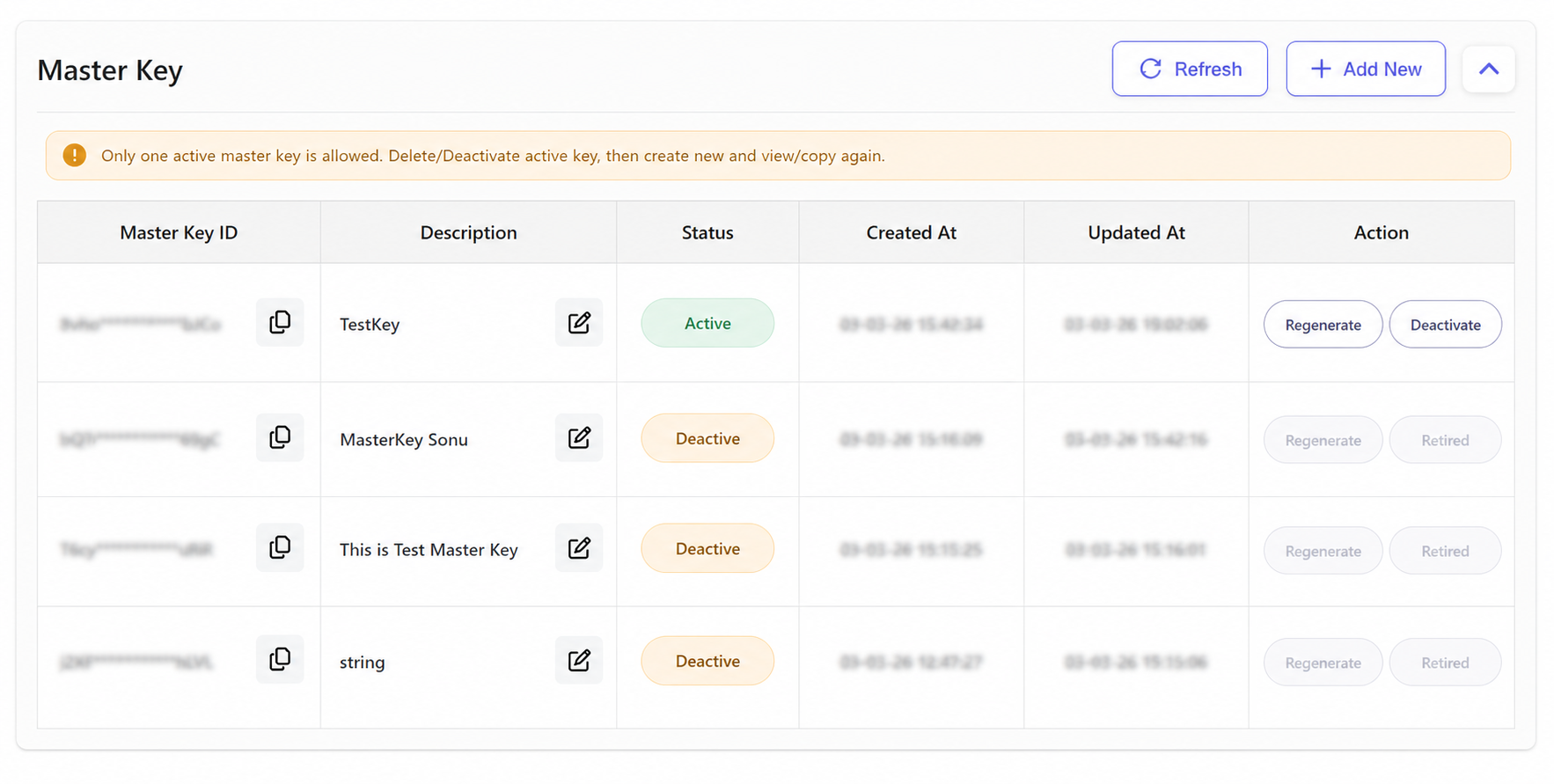
Add New opens the master key creation flow. After save, the next screen shows the generated record with status and timestamps.
These actions rotate or retire the selected master key and then return to the dashboard with updated status labels.
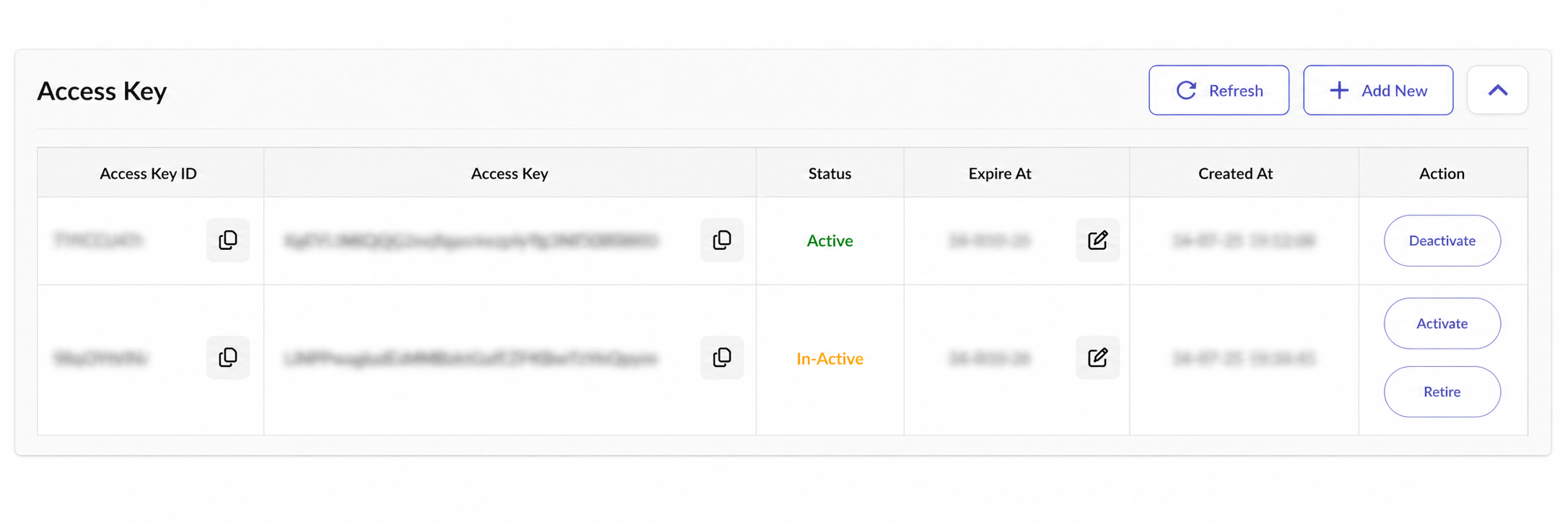
Clicking these buttons changes whether an access key can sign API traffic; the table refreshes with the new state after completion.
Retire permanently removes the key from active use and the next visible state is the retired status in the same listing.
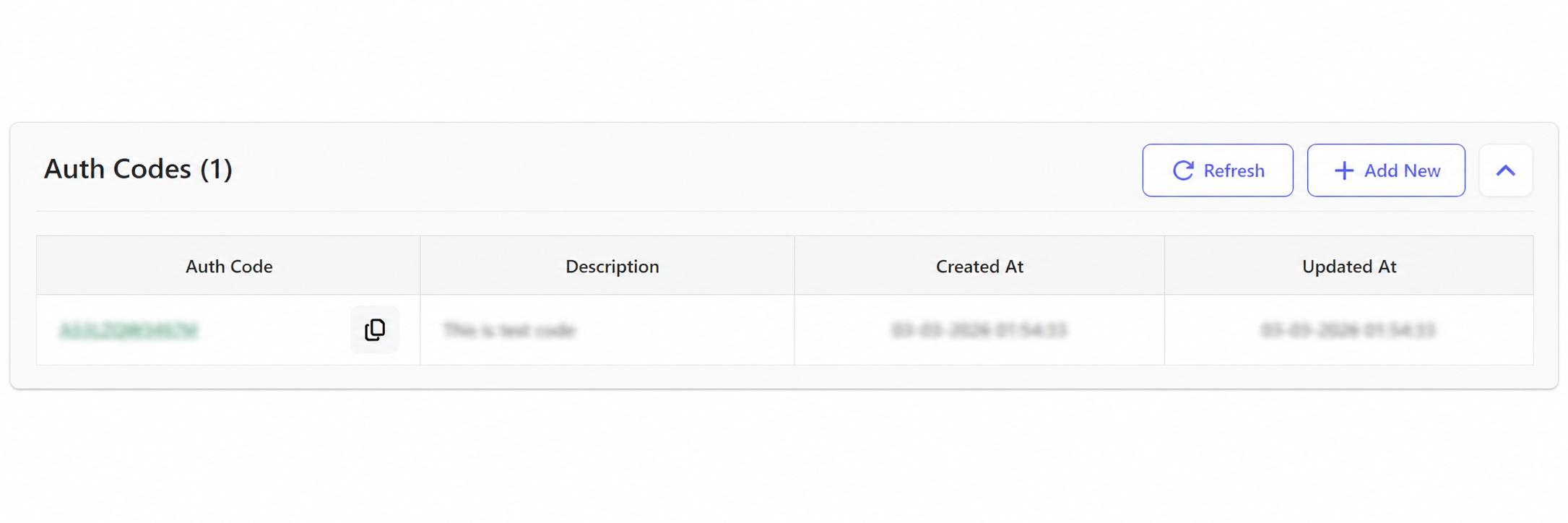
This opens the auth-code creation form used for transaction classification, then returns to the auth-code table after save.
Refresh reloads the latest key and auth-code status from POEMS without changing any existing configuration.
x-access-key-id header for every API request.| FI Responsibility | Payvala Responsibility |
|---|---|
| Store all secrets and private keys in an HSM or hardware-backed secrets manager. | Issue platform credentials and manage key status changes. |
| Never hardcode secrets or store them in plaintext configuration files. | Enforce key expiry, rotation and revocation rules. |
| Implement rotation and overlap windows to prevent downtime during key changes. | Provide key lifecycle visibility in POEMS (expiry, status, timestamps). |