
Establish secure machine-to-machine trust using industry-leading protocols.
Authentication configuration defines how the FI authenticates to Payvala APIs and what security mechanisms apply to requests and responses.
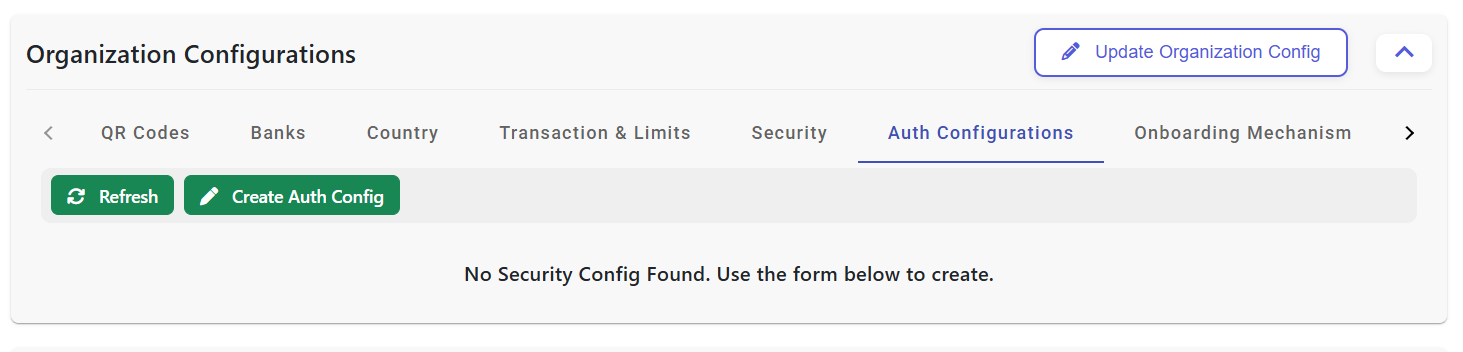
Clicking Refresh reloads the current authentication configuration list and shows the latest saved status from POEMS.
Clicking Create Auth Config opens the next configuration pop-up where security layers are selected before moving to detailed form setup.
This button takes the user back to organization-level settings where related technical tabs and prerequisite configuration sections can be managed.
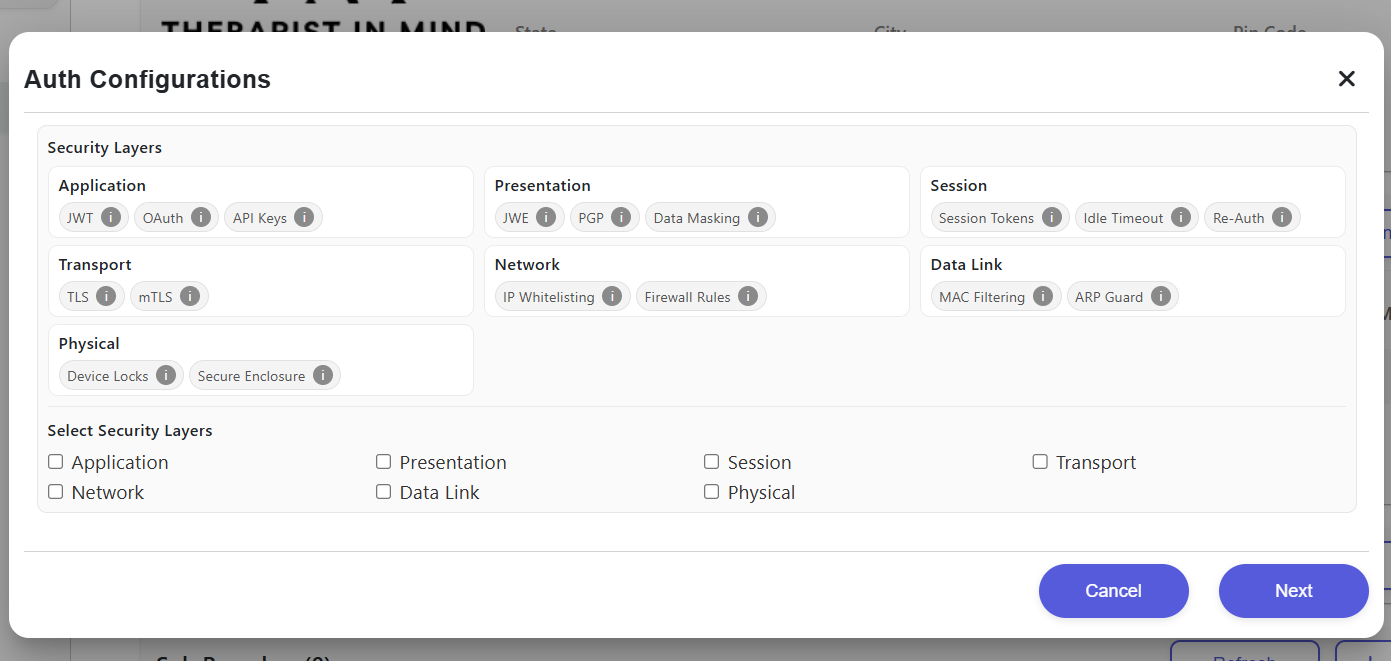
Selecting checkboxes such as Application or Transport determines which security controls will be enabled in the next configuration step.
Clicking Next opens the detailed authentication form where options like auth type, transport security, signature type, and key rotation are configured.
Clicking Cancel or the close icon exits the setup modal and returns the user to the previous auth configuration screen without saving changes.
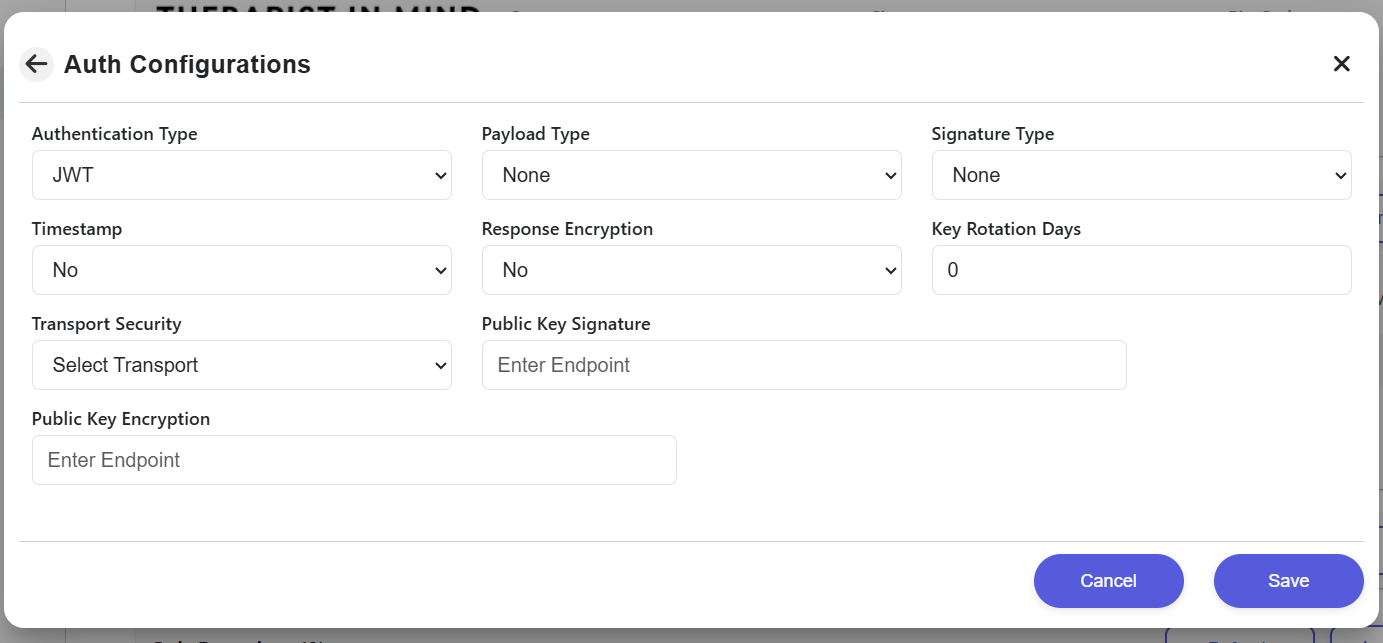
Here the user sets Authentication Type, Payload Type, Signature Type, Transport Security, response encryption, and endpoint values.
Clicking Save stores the selected authentication settings and returns the user to the main auth configuration tab with the new setup applied.
After completing the previous modal and saving this form, the next visible state is the configured auth dashboard where the FI can review, edit, or refresh the saved configuration.
| Setting | Description |
|---|---|
| Authentication Type | JWT / OAuth / API Keys. |
| Payload Type | Encrypted / Plain. |
| Signature Type | JWS / None. |
| Transport Security | TLS / mTLS. |
| Response Encryption | Enabled / Disabled. |
| Key Rotation Days | Defines key lifecycle / rotation schedule. |
Step 1: The default authentication type is JWT. Change it only if your approved integration requires OAuth or API keys.
Step 2: Enable mTLS and upload your root trust anchors.
Step 3: Configure JWKS endpoints for public key exchange.
Step 4: Save and test connectivity in the Staging sandbox.
| FI Responsibility | Payvala Responsibility |
|---|---|
| Confirm the authentication mode and align Financial Institution implementation accordingly. | Enable and enforce the selected authentication configuration per environment. |
| Implement token retrieval, caching and renewal if OAuth is enabled. | Validate configuration during onboarding and certification. |
| Implement signing/encryption according to configured options. | Support troubleshooting and provide integration guidance. |
| Implement key rotation process aligned with configured rotation days. | Monitor and support the agreed authentication posture across the integration lifecycle. |